Give CodeRabbit's AI reviewer live access to Tomosu reliability data. Connect in under two minutes with OAuth — no configuration files, no API keys.
MCP (Model Context Protocol) is an open standard that lets AI tools query external data sources in real time. Tomosu MCP exposes your codebase's reliability data — scan reports, PRI scores, code suggestions, and ticket context — through a set of tools that CodeRabbit can call directly while reviewing a pull request.
Once connected, CodeRabbit automatically has access to:
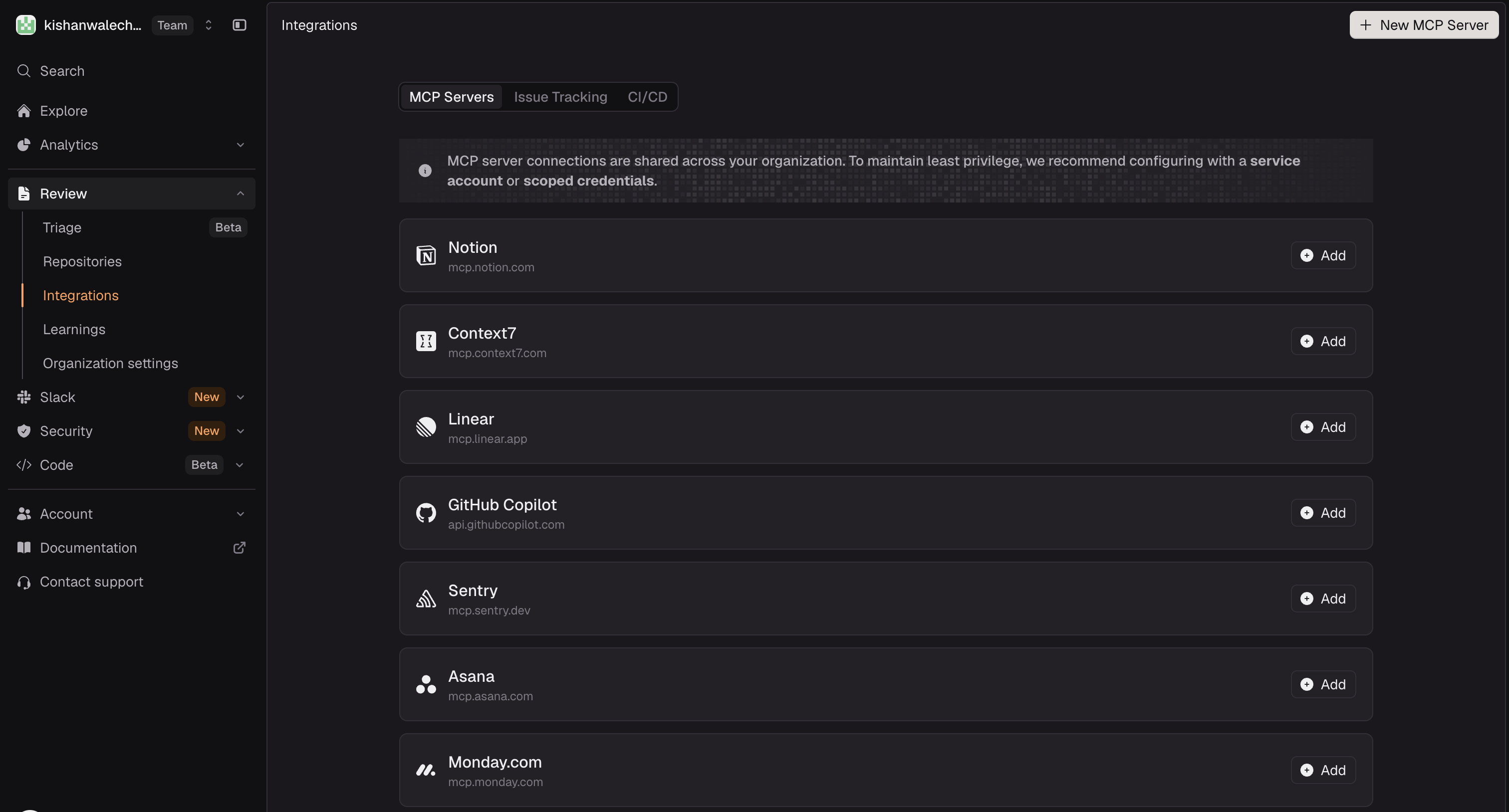
In the CodeRabbit sidebar, expand Review and click Integrations.
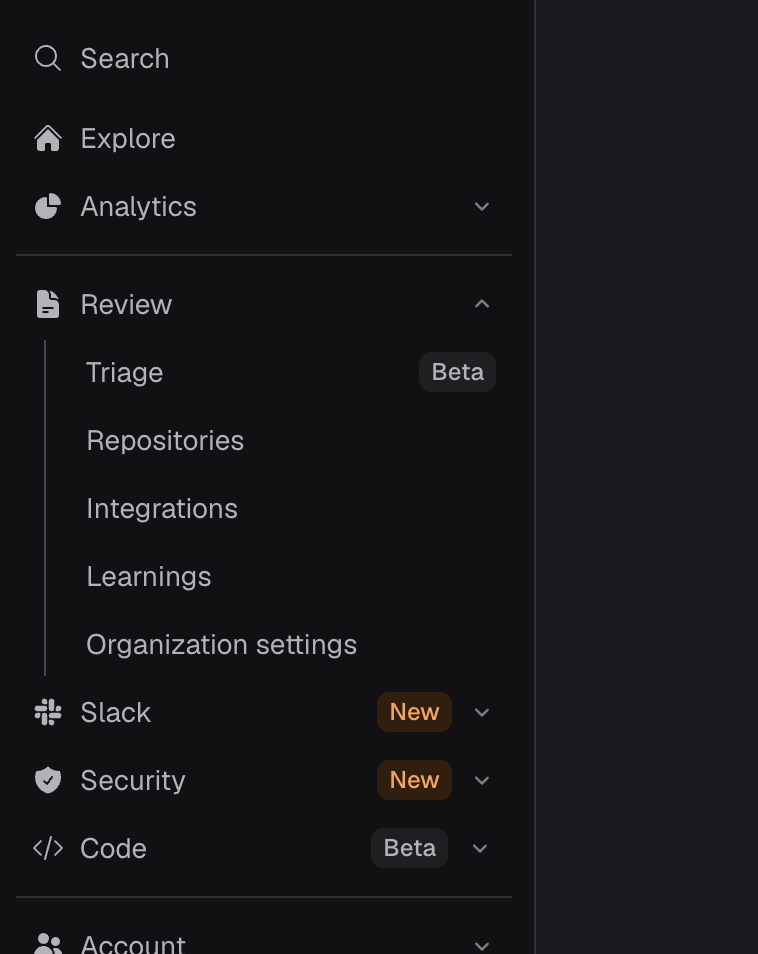
On the Integrations page, click the MCP Servers tab. You'll see any servers already connected. Click + New MCP Server in the top-right corner.
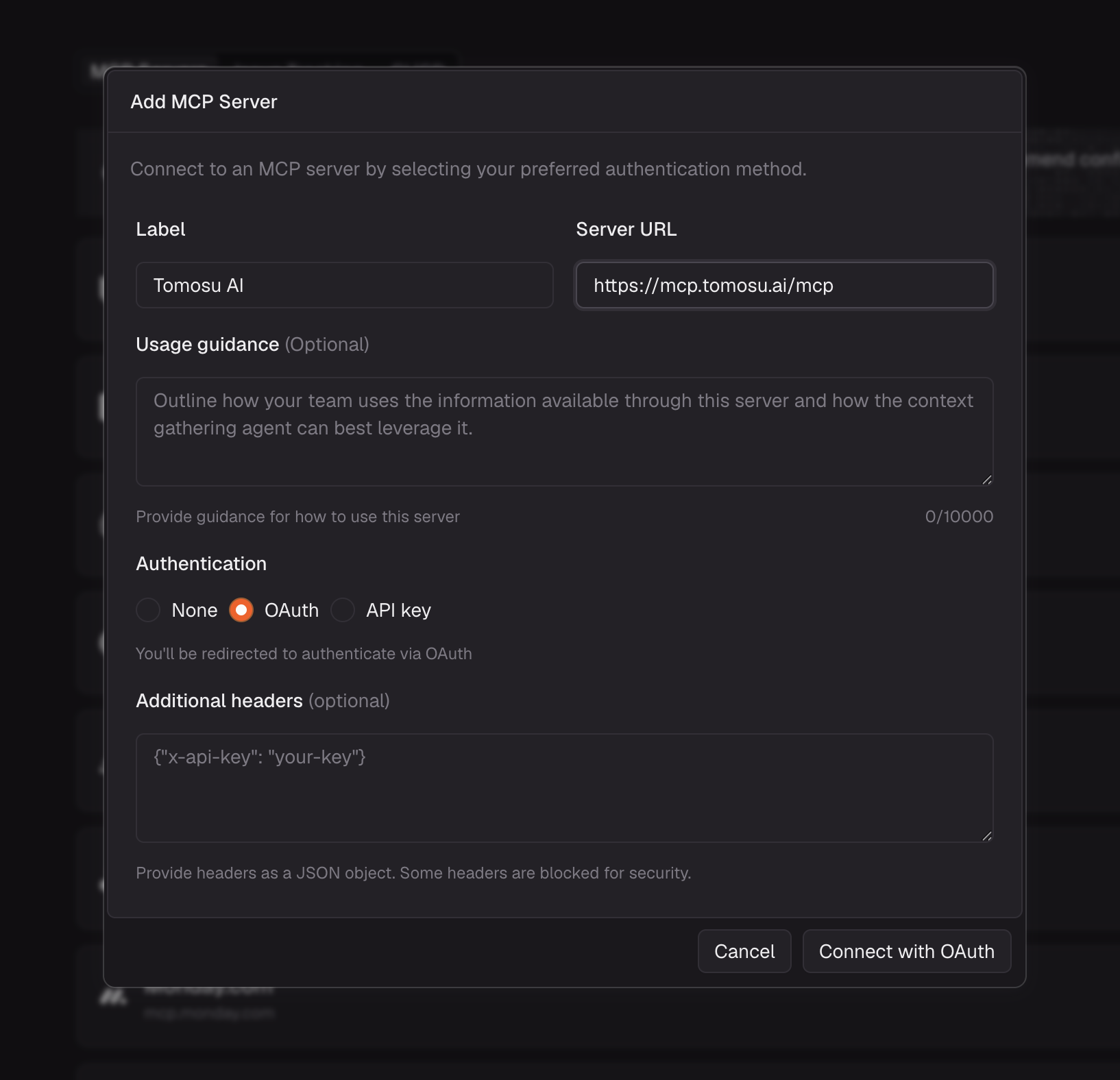
In the Add MCP Server modal, enter the following:
https://mcp.tomosu.ai/mcpClick Connect with OAuth to continue.
A popup opens and takes you through Google OAuth. Sign in with the Google account associated with your Tomosu account. The popup closes automatically once authorization is complete.
Back on the Integrations page, mcp:tomosu ai now appears at the top of
the MCP Servers list with 8 of 8 tools enabled and the endpoint
https://mcp.tomosu.ai/mcp confirmed.
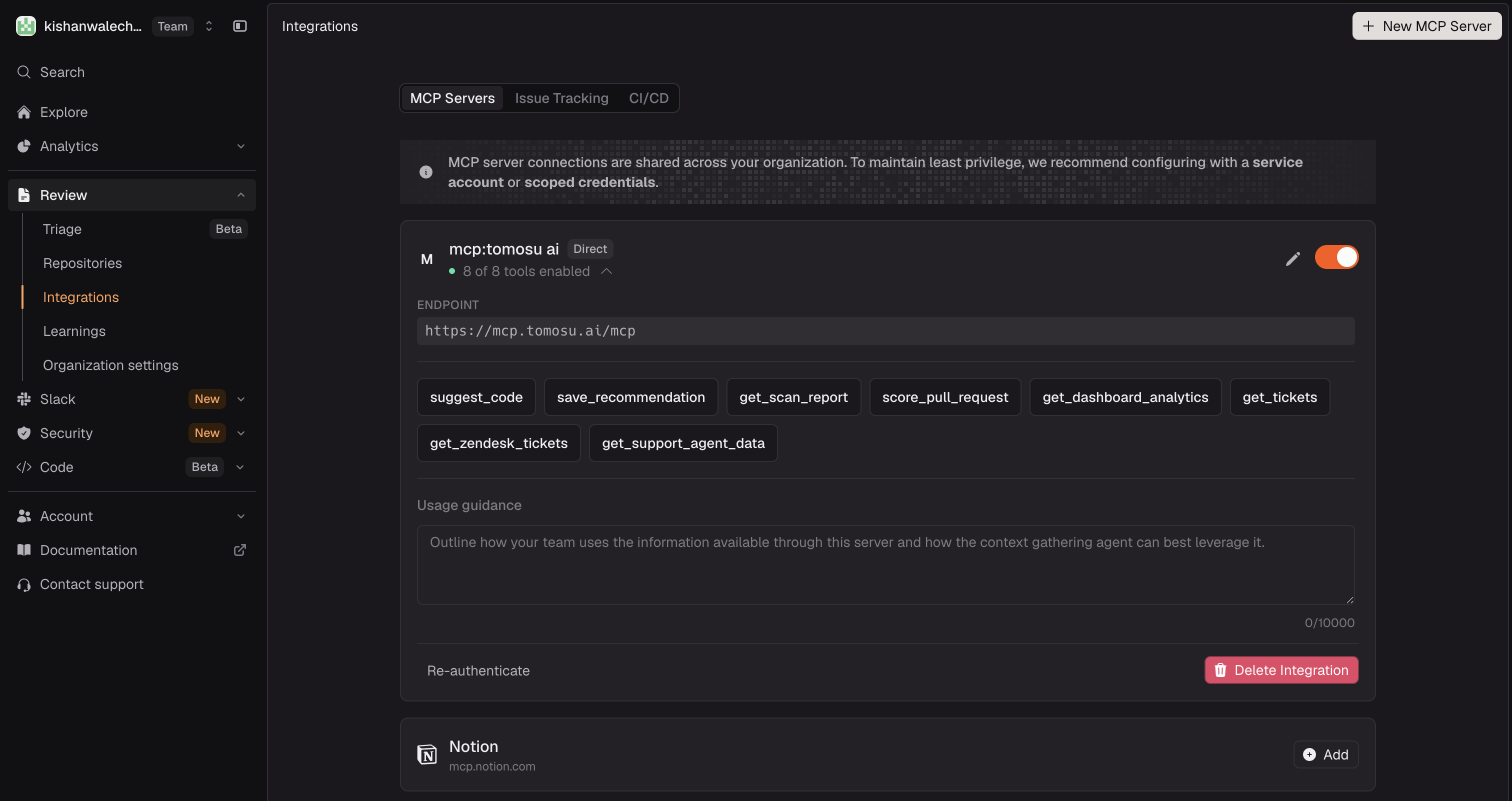
After connecting, CodeRabbit's AI can call any of the 8 Tomosu tools during a review. Each tool gives CodeRabbit a different type of context about your codebase:
| Tool | What it provides |
|---|---|
suggest_code |
AI-generated code improvements for the changed files in a PR |
save_recommendation |
Persists a Tomosu recommendation to the VisionBoard for tracking |
get_scan_report |
Full reliability scan report for a repository — all issues, severities, and categories |
score_pull_request |
PRI score plus FI, GC, and CV sub-index breakdown for a specific PR |
get_dashboard_analytics |
Aggregated reliability metrics and trends across your repositories |
get_tickets |
Linked Jira and GitHub Issues context for a repository or PR |
get_zendesk_tickets |
Linked Zendesk support ticket context for a repository |
get_support_agent_data |
Support escalation signals — which issues are generating the most customer impact |
With Tomosu MCP connected, CodeRabbit's reviews become significantly richer:
CodeRabbit can pull the live PRI score for the PR it's reviewing and surface it alongside its own analysis — giving your team a reliability verdict from Tomosu without leaving the CodeRabbit review interface.
When CodeRabbit suggests a fix, it can cross-reference Tomosu's suggest_code output
for the same files. The result is recommendations that account for both style preferences and production
reliability issues identified by Tomosu's AI.
Tomosu surfaces Jira, GitHub Issues, and Zendesk context through MCP. CodeRabbit can mention relevant open tickets or escalation signals in its review comments without anyone having to paste links manually.
To disconnect, go to CodeRabbit → Review → Integrations → MCP Servers, find mcp:tomosu ai, and click Delete Integration. To re-authenticate without deleting, click Re-authenticate on the same card.
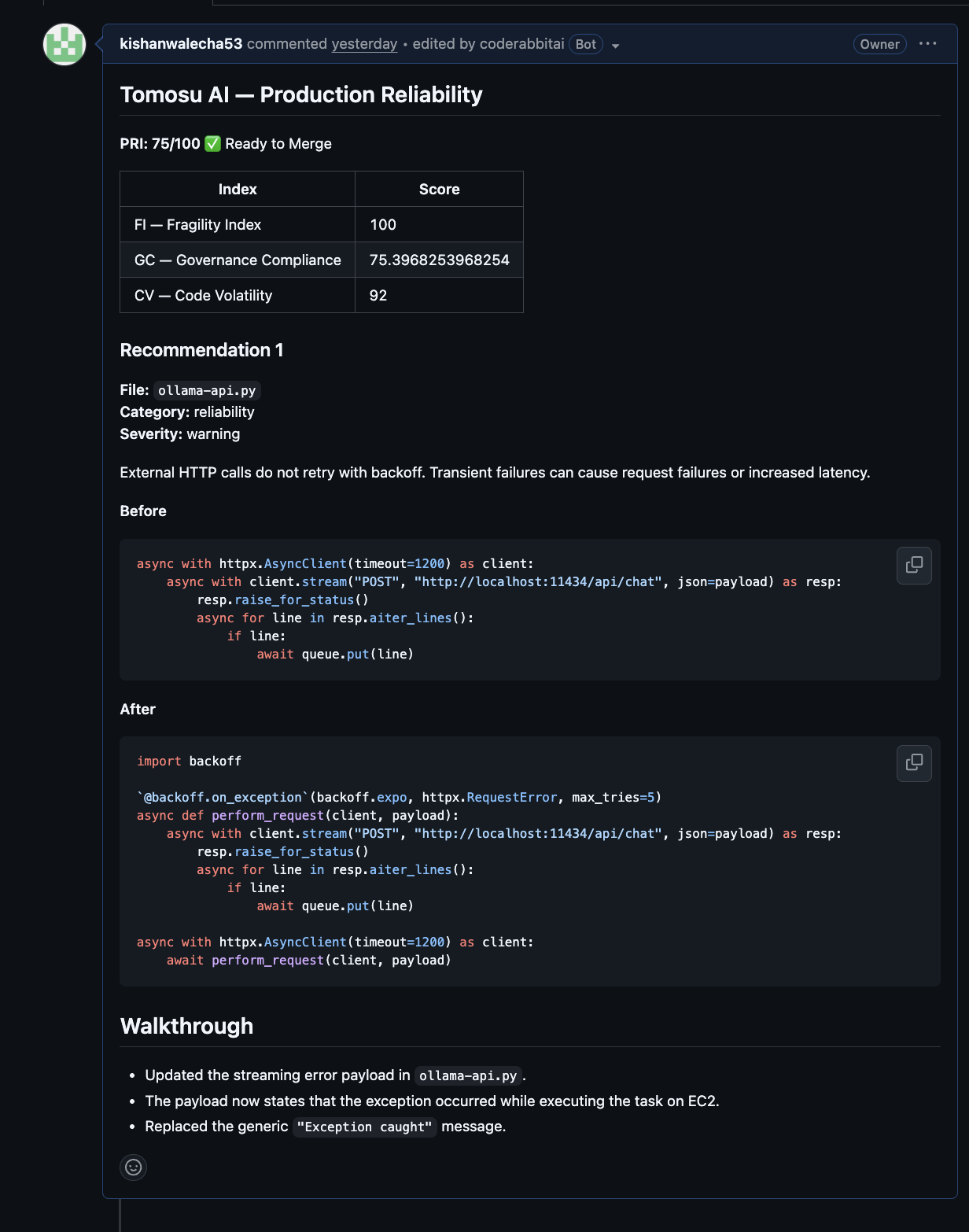
When CodeRabbit reviews a pull request with Tomosu MCP connected, it posts a Tomosu AI reliability comment alongside its own review. Here is a real example.
A clear Ready to Merge or Not Ready to Merge verdict. The threshold is PRI ≥ 70.
| Index | Full name | What it measures |
|---|---|---|
| PRI | Production Reliability Index | Overall reliability score, 0–100 |
| FI | Fragility Index | Code stability — starts at 100, deducted per issue severity |
| GC | Governance Compliance | Best-practice rules followed (out of 10) |
| CV | Code Volatility | Issue count — fewer issues = higher score |
Each recommendation includes the affected file, category, severity, and exact before/after code so you know precisely what to change.